
The warehouse management system for dealership parts.
Nexus Logistics is a parts WMS built for dealership parts departments. Scan-verified picking, delivery tracking with proof of delivery, route and returns boards, and a customer portal for your shops.


No broken links in the chain
We track it all. The warehouse management system, the van, the shop and the parts counter employees work off the same orders, so what a picker scans shows up for dispatch, the driver and the customer without anyone retyping it.
Warehouse App
Pickers are told what to grab next, scan to confirm it, and label it on the spot.
Delivery App
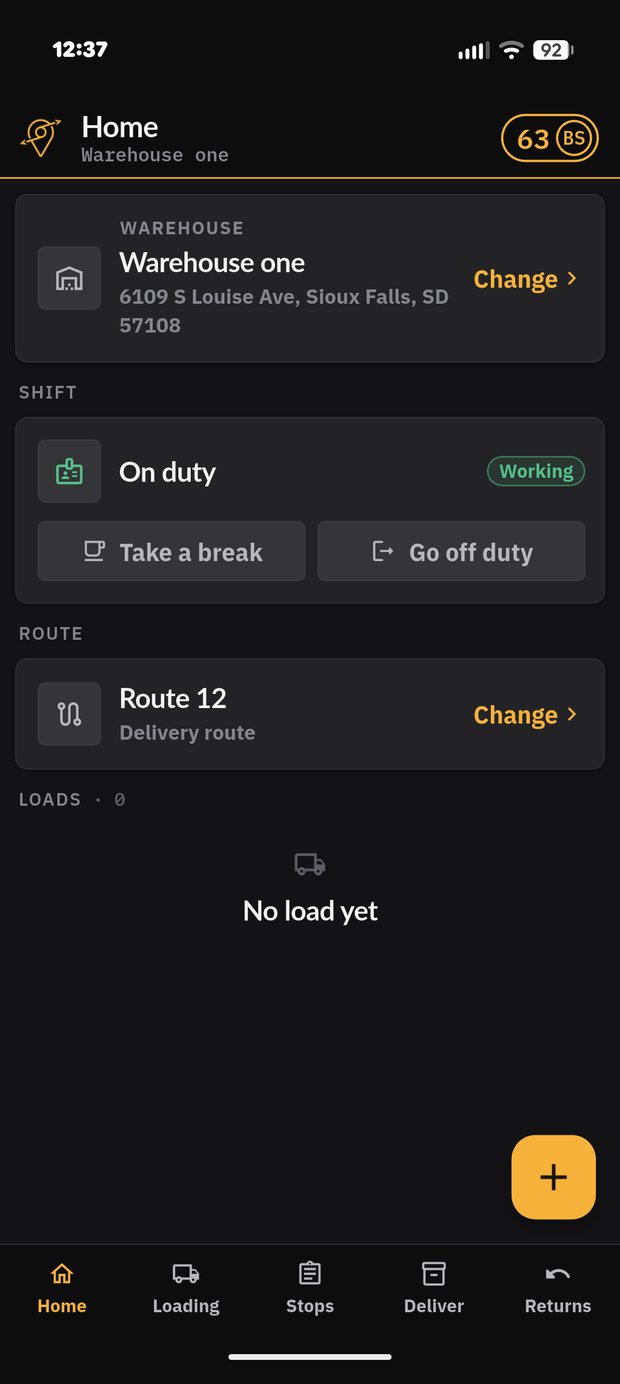
Drivers scan the load onto the truck, run the stops in order, and close with a photo.
Customer Portal
Shops watch the order move, see the delivery photo, and request returns themselves.
Dispatch & Management
Build routes, watch the road, clear returns, and see which accounts are slipping.
Warehouse management on a barcode scanner
On a rugged Android barcode scanner, the WMS runs the pick instead of the paper. Every part is confirmed against the invoice before it leaves the shelf.
Smart Pick tells each picker what to grab next
The app sequences the warehouse so nobody walks the same aisle twice, and scanning is what proves the right part made it into the right order.
- Smart Pick: routes pickers in bin location order for efficient picking.
- Scan to confirm: the part and the label are checked against the invoice.
- Labeling: print and scan on the spot, so every part is tied to its order.
- Quick Pick: search an order and pick it right away.
- Productivity points: every pick, scan and label scores. Pickers see their pace; managers see where the warehouse is stuck.
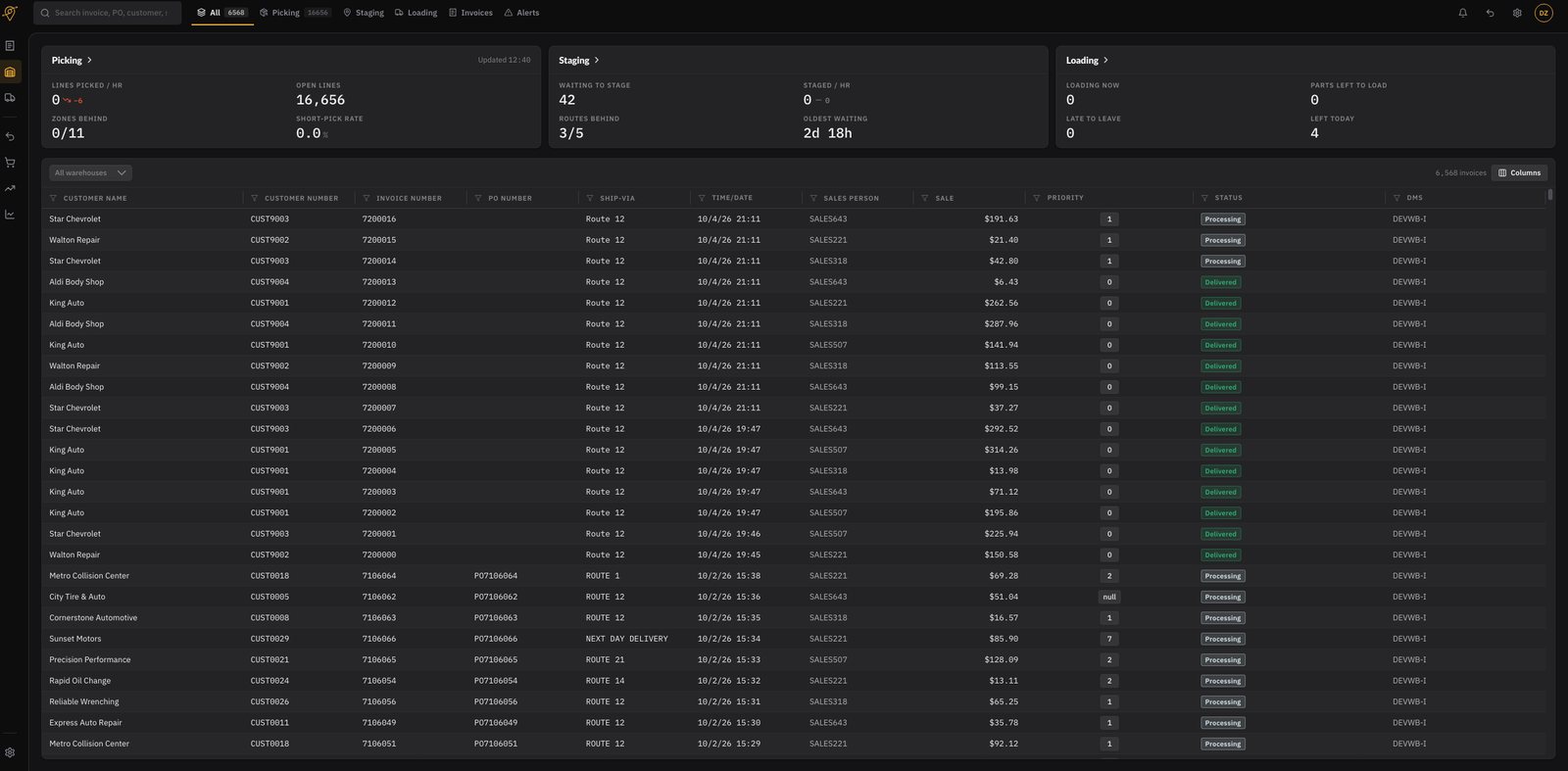
Managers watch the whole warehouse in one board
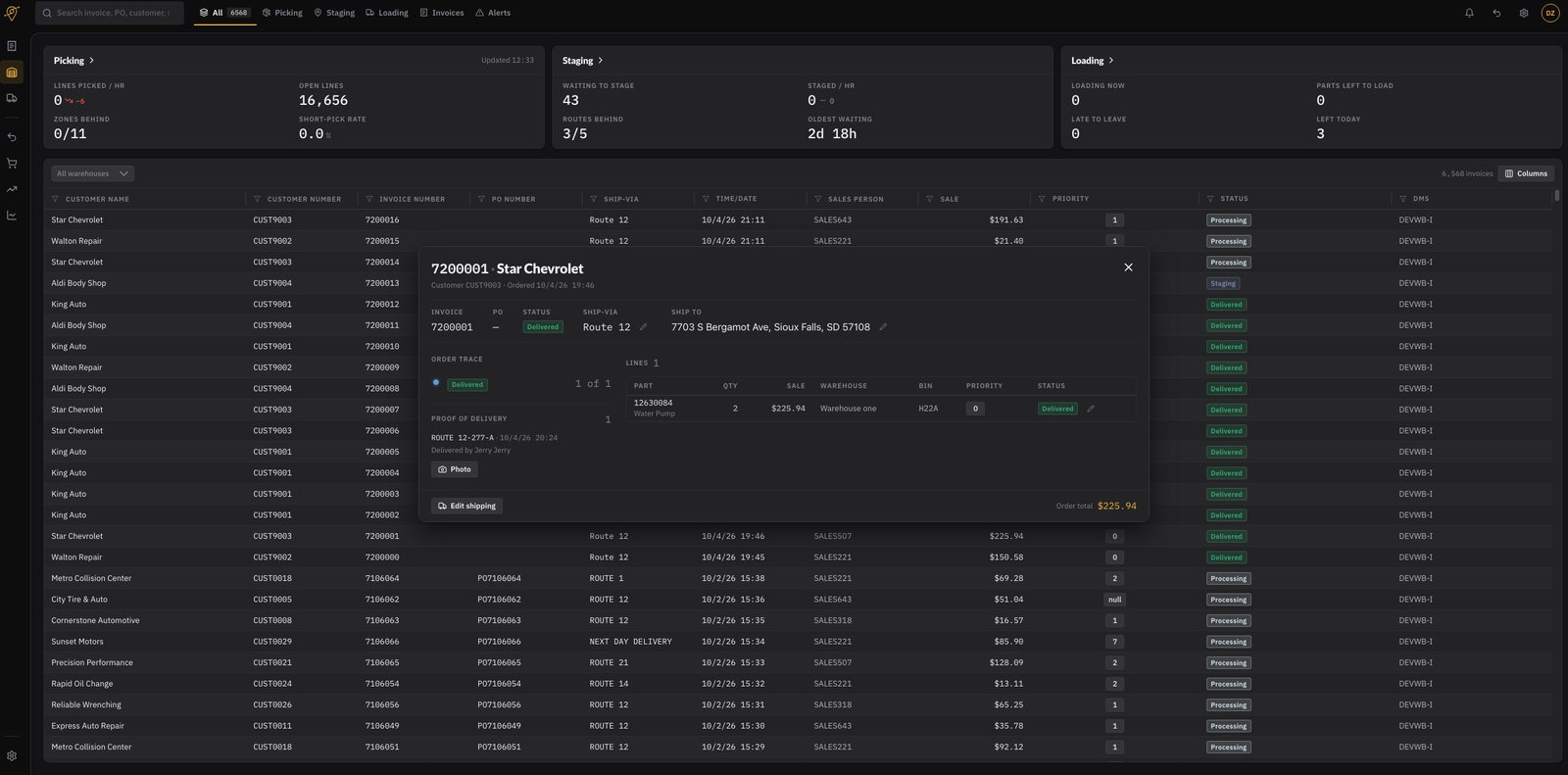
Lines picked per hour, open lines, short-pick rate and which zones are falling behind, live.
- Picking, staging and loading counts side by side
- Oldest waiting order, so nothing quietly ages out
- Filter by warehouse, route, ship-via or status
Productivity Points
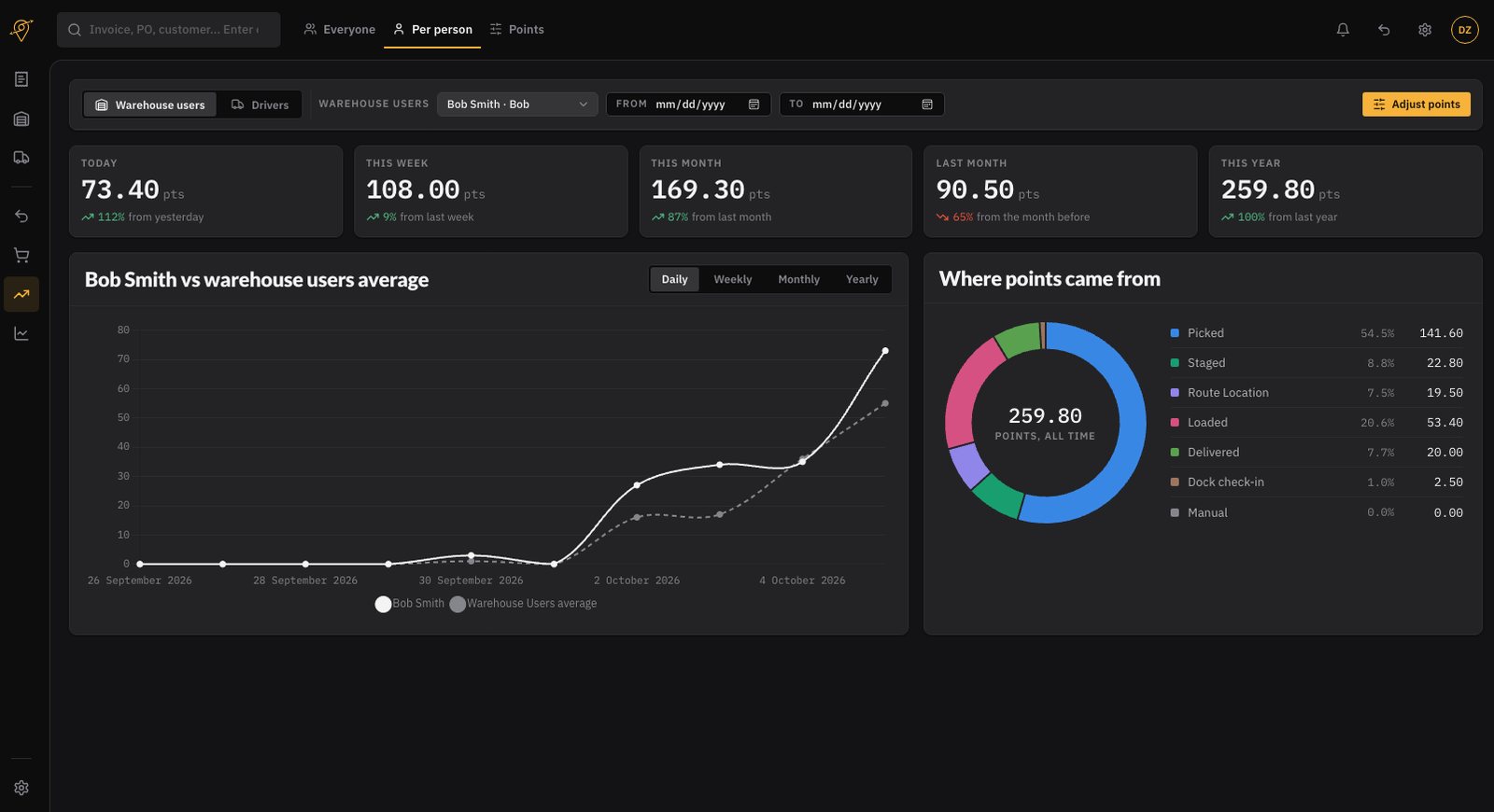
Every pick, scan and label earns points
- Points for picking, staging, route location, loading, delivering and dock check-in
- Today, this week, this month and this year, each against the period before
- Manual adjustments when a score needs correcting
See every run from the dock to the door
Drivers scan the load before they pull out, run the stops in order, and close every stop with a photo and a location stamp.
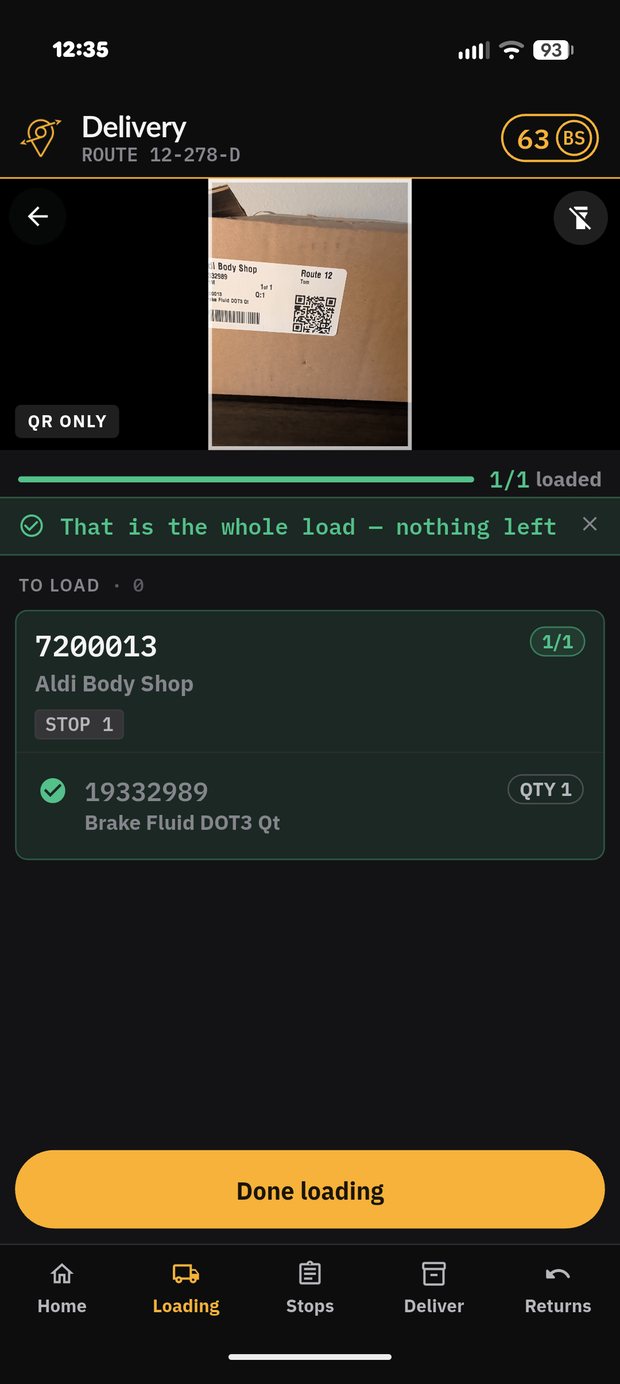
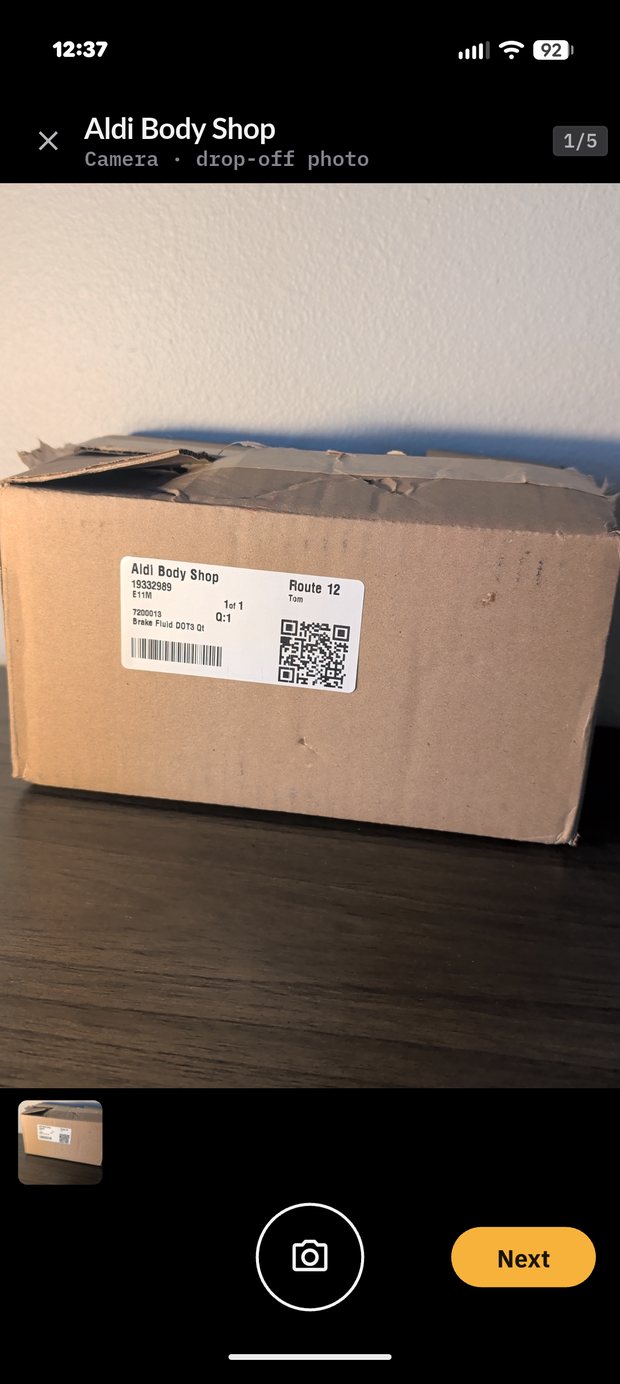
Proof of Delivery
Every action is tracked and captured
Each scan, arrival and photo is recorded the moment it happens, with the time and place it was taken. The full history of a part stays with the order.
- Proof of delivery: a photo and confirmation at the door, with the handset's location when the stop was closed.
- Route and stops in order: a clear run, with navigation to each stop.
- Live tracking: dispatch and the shop both see where the truck is.
Your shops stop calling to ask where it is
Every order, status and invoice in one place, in your dealership's branding, including the delivery photo and a return request that never needs a phone call.
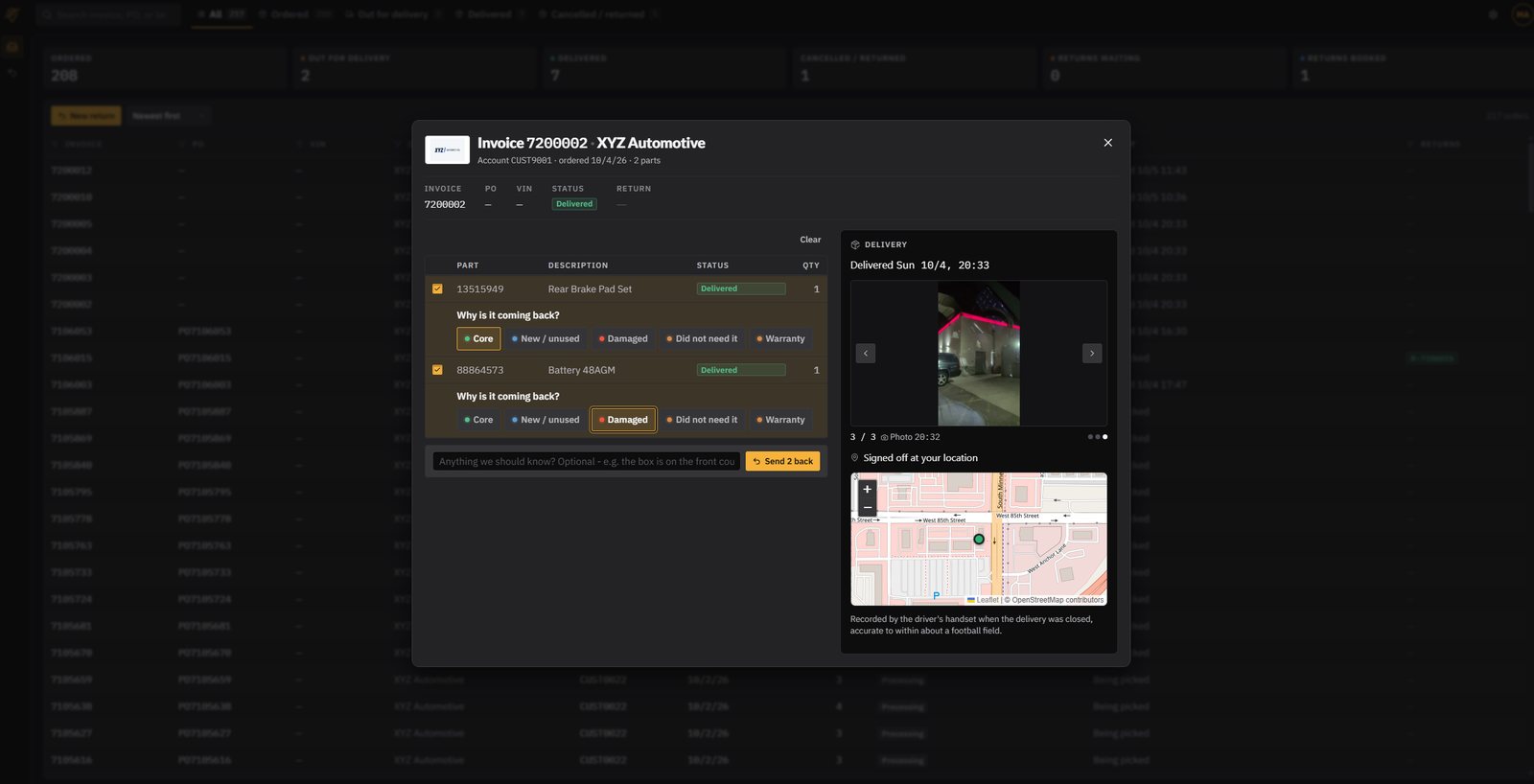
From ordered to out for delivery to delivered
Shops follow the order the whole way and see the same proof your driver captured. When something is wrong, they start the return themselves.
- Orders and invoices: every order, status and invoice in one place.
- Live status: picked, out for delivery, delivered, with the photo.
- “Out for delivery” emails: sent the moment the truck leaves, in your branding.
- Returns and cancellations: requested online, tracked from the first click.
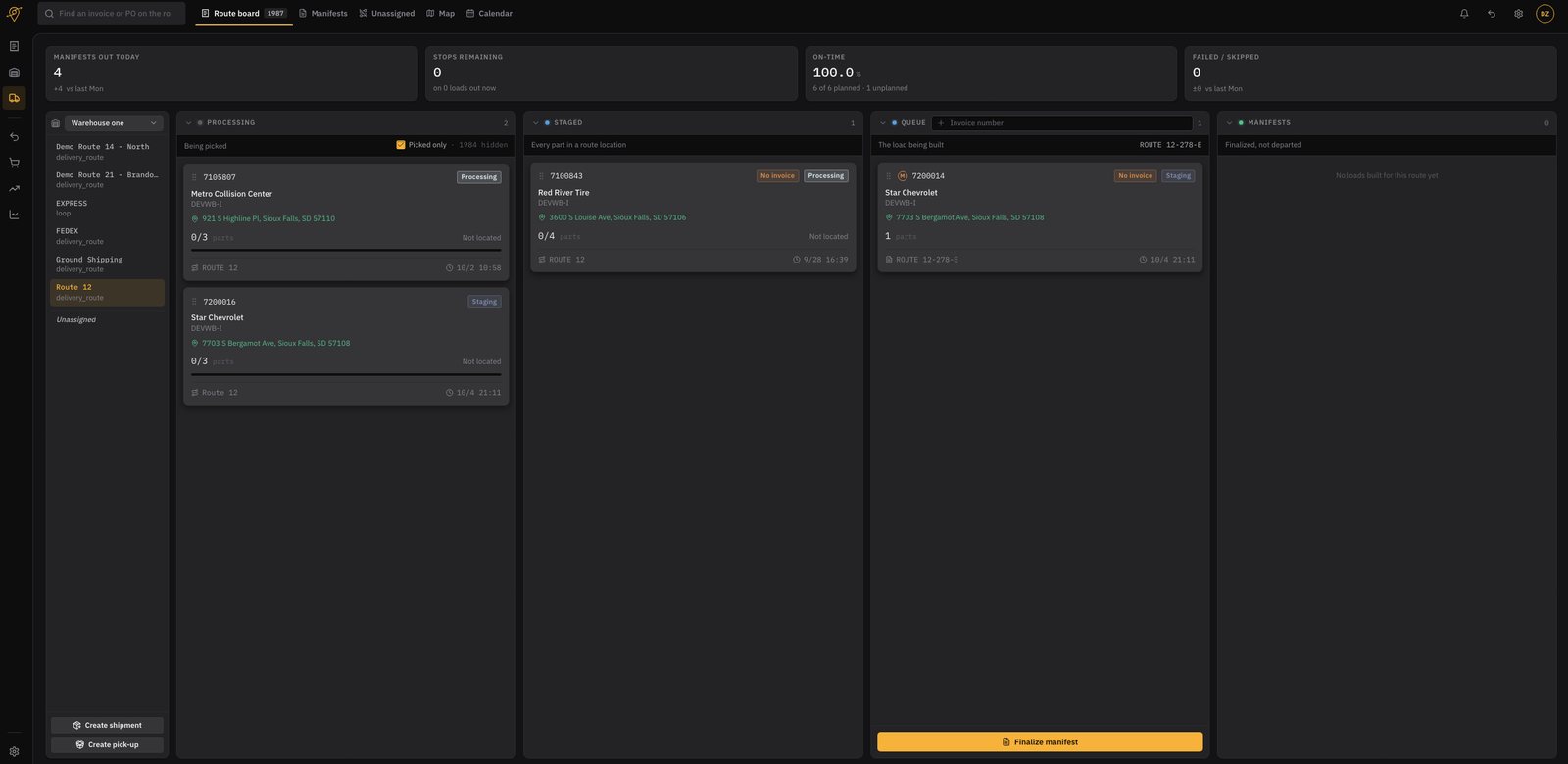
Route Board: build the run by dragging it
Orders move from processing to staged to the load being built, and the manifest finalizes when the truck is ready. Changes show up live for everyone watching.
- Drag orders onto routes and drivers
- See exactly which parts are located and which are not
- Finalize the manifest in one click
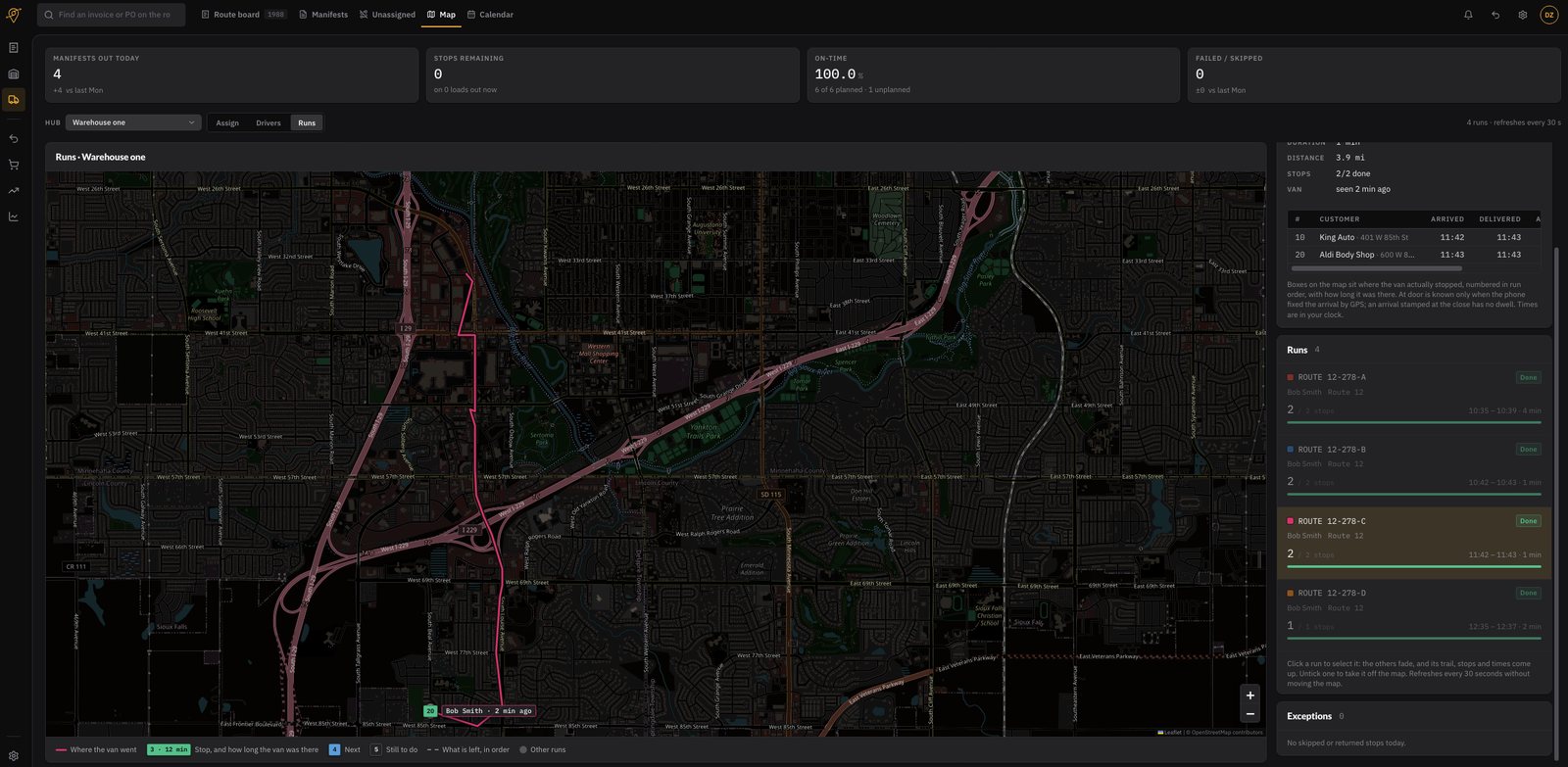
Delivery Map: see the road, not a spreadsheet
Where the van actually went, how long it sat at each stop, what is still to do, and anything skipped or returned, refreshed while you watch.
- Live van trail with per-stop dwell time
- On-time rate, stops remaining, failed or skipped
- Optimized routes and an exceptions list that stays short
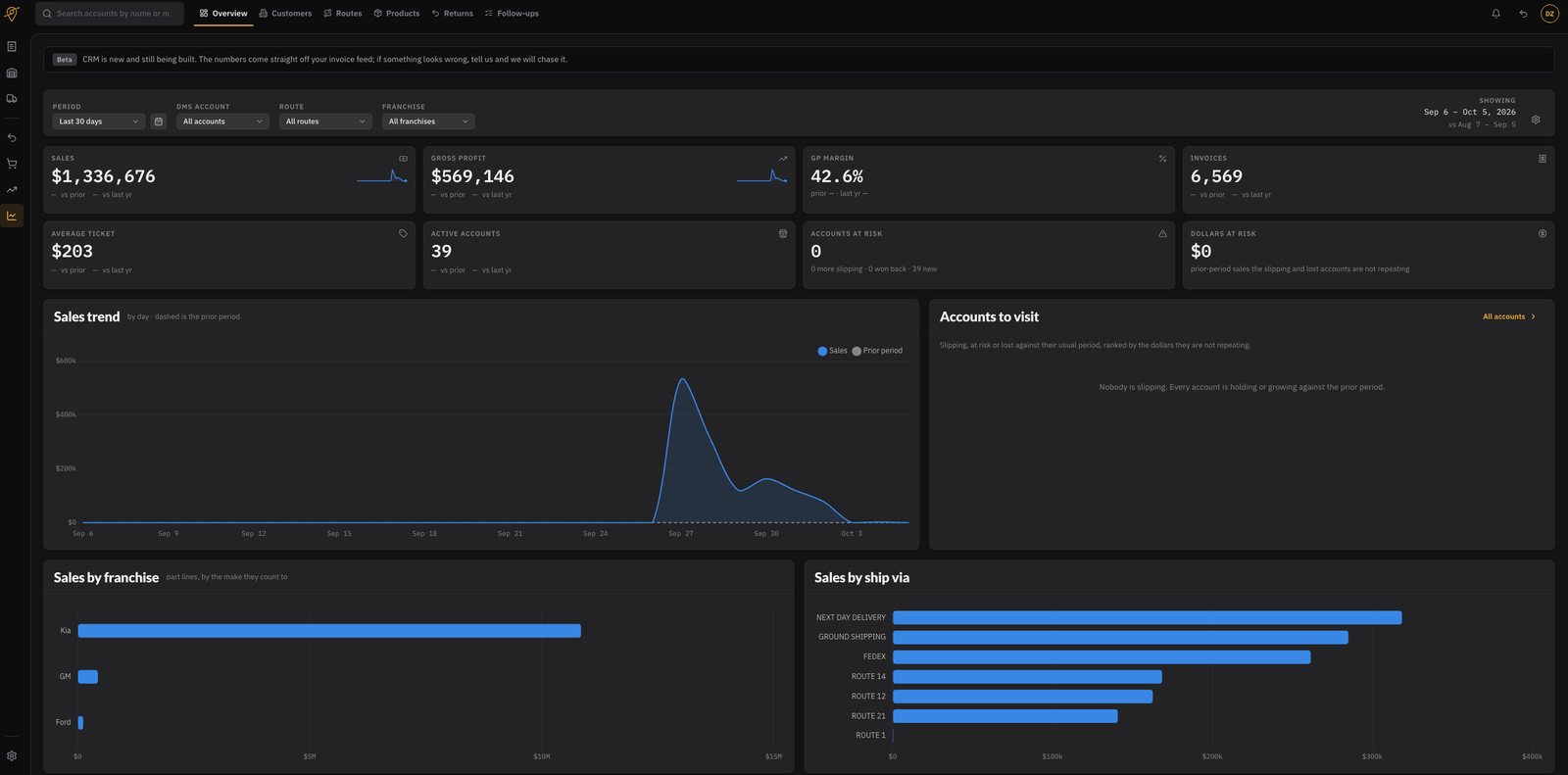
CRM and insights: who is ordering, and who is drifting
Sales, gross profit and margin come straight off the invoice feed, next to a ranked list of the accounts worth a phone call this week.
- Accounts at risk, with the dollars that are not repeating
- Sales by franchise, by ship-via and by route
- Returns board: every return from request to pickup
Parts warehouse management, answered
The questions dealership parts managers ask us first.
Does your warehouse management system integrate with CDK Global?
Yes. Nexus Logistics reads orders and invoices from CDK Global, so a part picked and scanned in the warehouse ties back to the invoice it belongs to. Nobody retypes an order into a second system.
Does it integrate with Tekion?
Yes. Tekion is supported alongside CDK Global, and Reynolds and Reynolds is on the roadmap. If you run a DMS we have not connected yet, tell us which one and we will scope it.
What is a parts WMS, and how is it different from my DMS?
Your DMS owns the order, the invoice and the accounting. A warehouse management system owns what physically happens to the part: where it sits, who picks it, whether the right one was scanned, which van it went on and who signed for it. Nexus Logistics is the WMS layer your DMS does not cover.
What hardware do pickers need?
A rugged Android barcode scanner such as a Zebra handheld, plus a label printer. Drivers use a phone. There is nothing to install on a desktop, and no server to run in the building.
Can it run more than one warehouse?
Yes. Every board filters by warehouse, route, ship-via and status, so a group running several parts departments sees each one separately or all of them together.
Do my wholesale customers get anything?
They get a customer portal in your dealership's branding: their orders and invoices, live delivery status, the proof-of-delivery photo, and the ability to start a return or cancellation without calling the counter.
See the parts WMS run on your own routes
We will walk the whole chain: a part picked and labeled in the warehouse, loaded by scan, tracked to the door, and a return started from the shop's own portal.